
Website feedback tool for designers
AnnotaMark helps designers give visual feedback on live websites. Instead of exporting screenshots or writing vague comments, designers can highlight interface issues, draw callouts, add sticky notes, and share page-specific review context with developers.
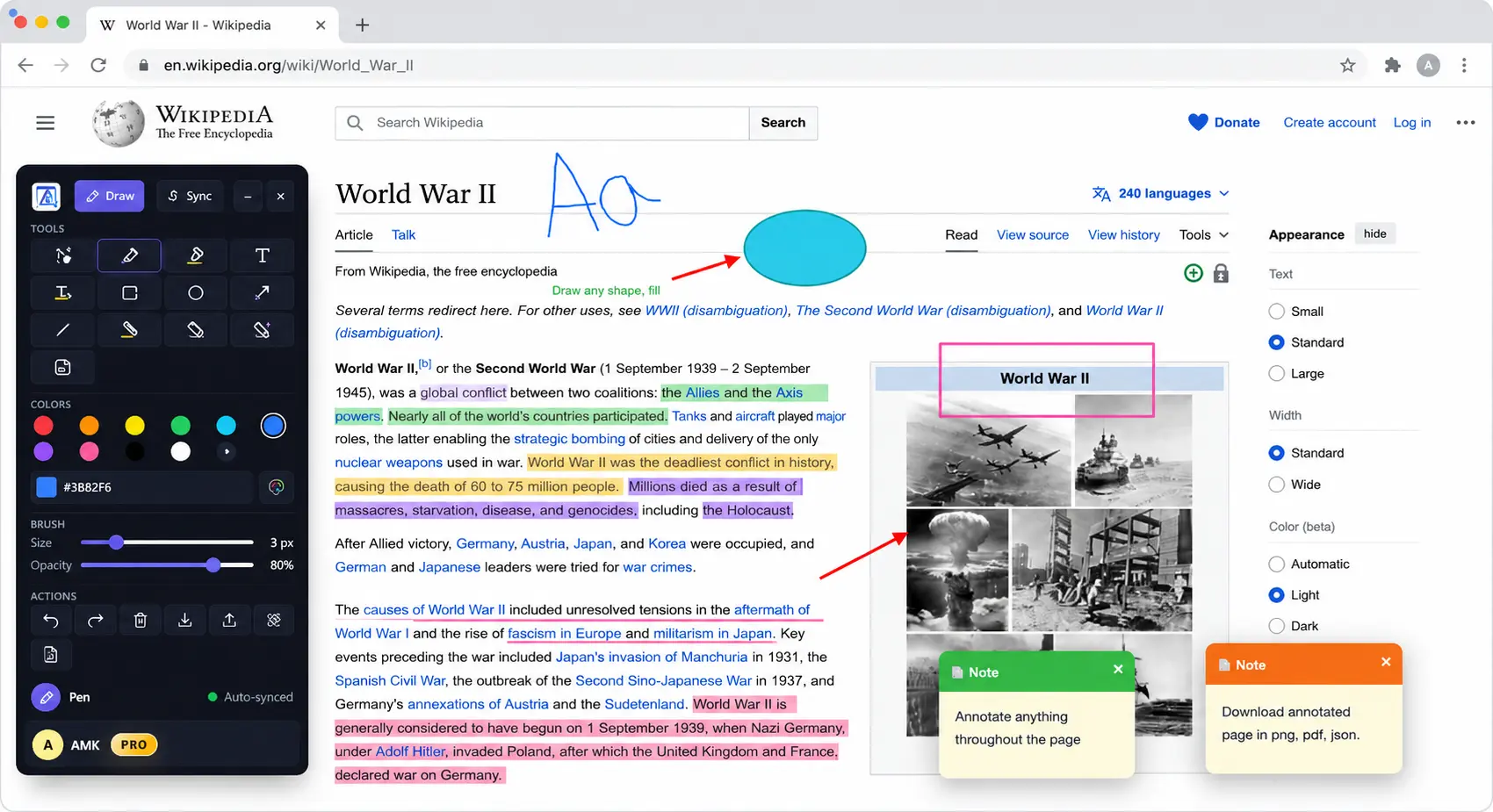
Workflow
The problem with website feedback
Design review breaks down when feedback is separated from the live interface. A screenshot may miss responsive states, a chat comment may not identify the exact element, and a task description may lose the visual reason behind a change. AnnotaMark keeps feedback on top of the page being reviewed.
Point to exact UI details
Use arrows, rectangles, circles, and text to show the precise component, spacing issue, or interaction state.
Leave visual notes
Add sticky notes and highlights directly on the page so the reasoning stays near the relevant interface.
Share review context
Send annotation links to teammates so designers and developers discuss the same page state.
Steps
A simple design feedback workflow
- Open the live website or prototype in Chrome.
- Activate AnnotaMark and choose a visual markup tool.
- Highlight text, draw callouts, add sticky notes, or mark spacing issues.
- Save or share the annotation session for developer review.