
Visual bug reporting extension for QA teams
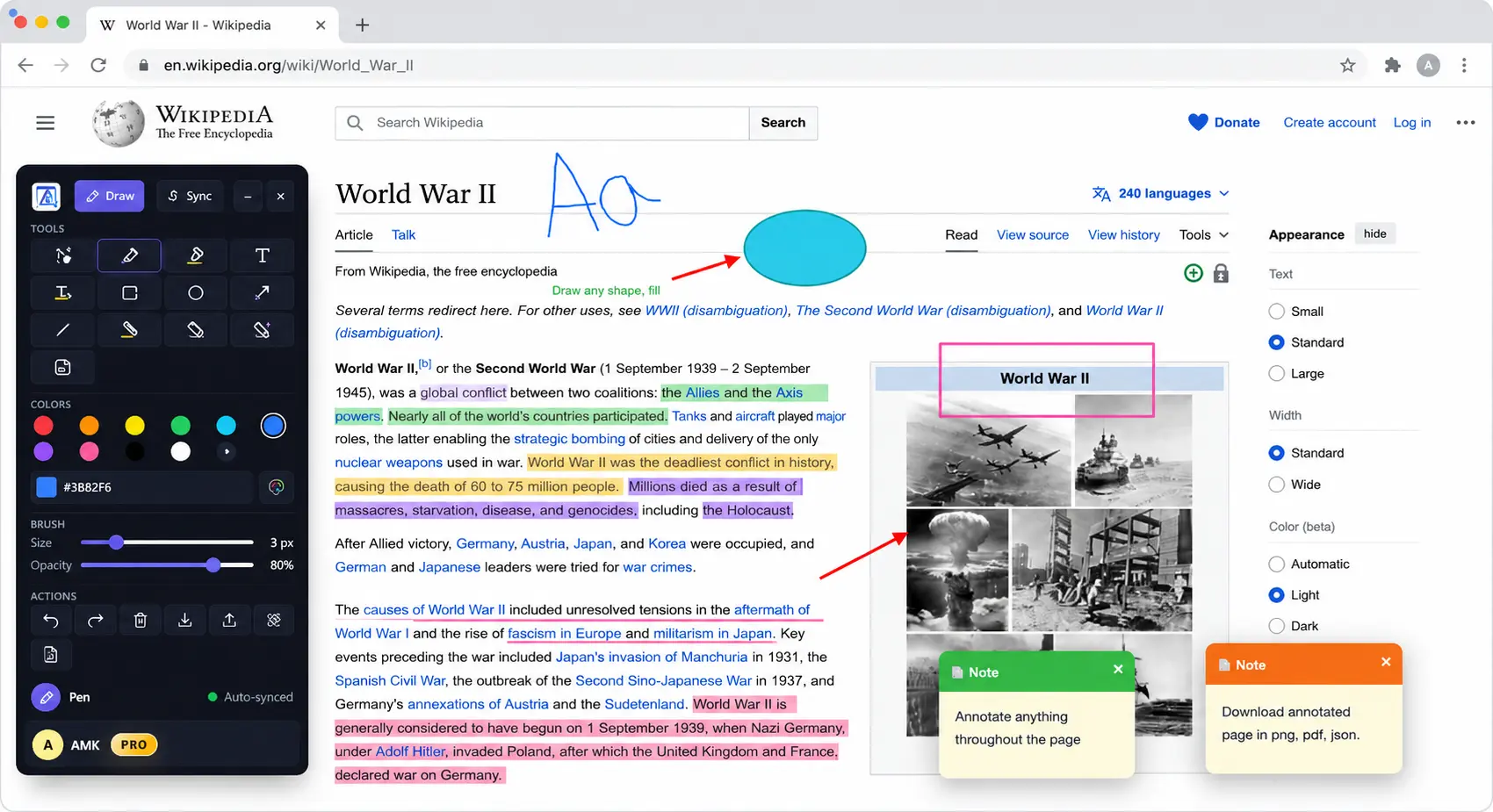
AnnotaMark helps QA teams report visual bugs with page-level context. Testers can draw arrows, outline broken elements, add sticky notes, highlight text, and share annotated pages so developers see exactly what needs attention.
QA workflow
Why visual bug reports are easier to act on
A bug report is clearer when the exact broken element is visible. AnnotaMark lets testers mark the live page with shapes, arrows, highlights, notes, and freehand drawing. That reduces back-and-forth because the report shows location, context, and expected attention area together.
Mark the exact defect
Use arrows, circles, rectangles, and line tools to identify broken UI, spacing issues, or visual regressions.
Add reproduction context
Use sticky notes and text annotations to explain the state, browser behavior, or expected result.
Share with developers
Send annotated context so developers can understand the issue before opening a debugger or test run.
Steps
A QA handoff flow
- Open the page state where the visual issue appears.
- Mark the broken area with arrows, shapes, highlights, or sticky notes.
- Save or share the annotation session with the development team.
- Use the dashboard to review previous reports and follow-up sessions.