Everything you can do with AnnotaMark
AnnotaMark is a web annotation Chrome extension with 12 markup tools, collaborative whiteboards, cloud sync, sharing, and a dashboard. It helps teams capture visual feedback, research highlights, QA issues, and page-level decisions without leaving the browser.
Tools
What annotation tools does AnnotaMark include?
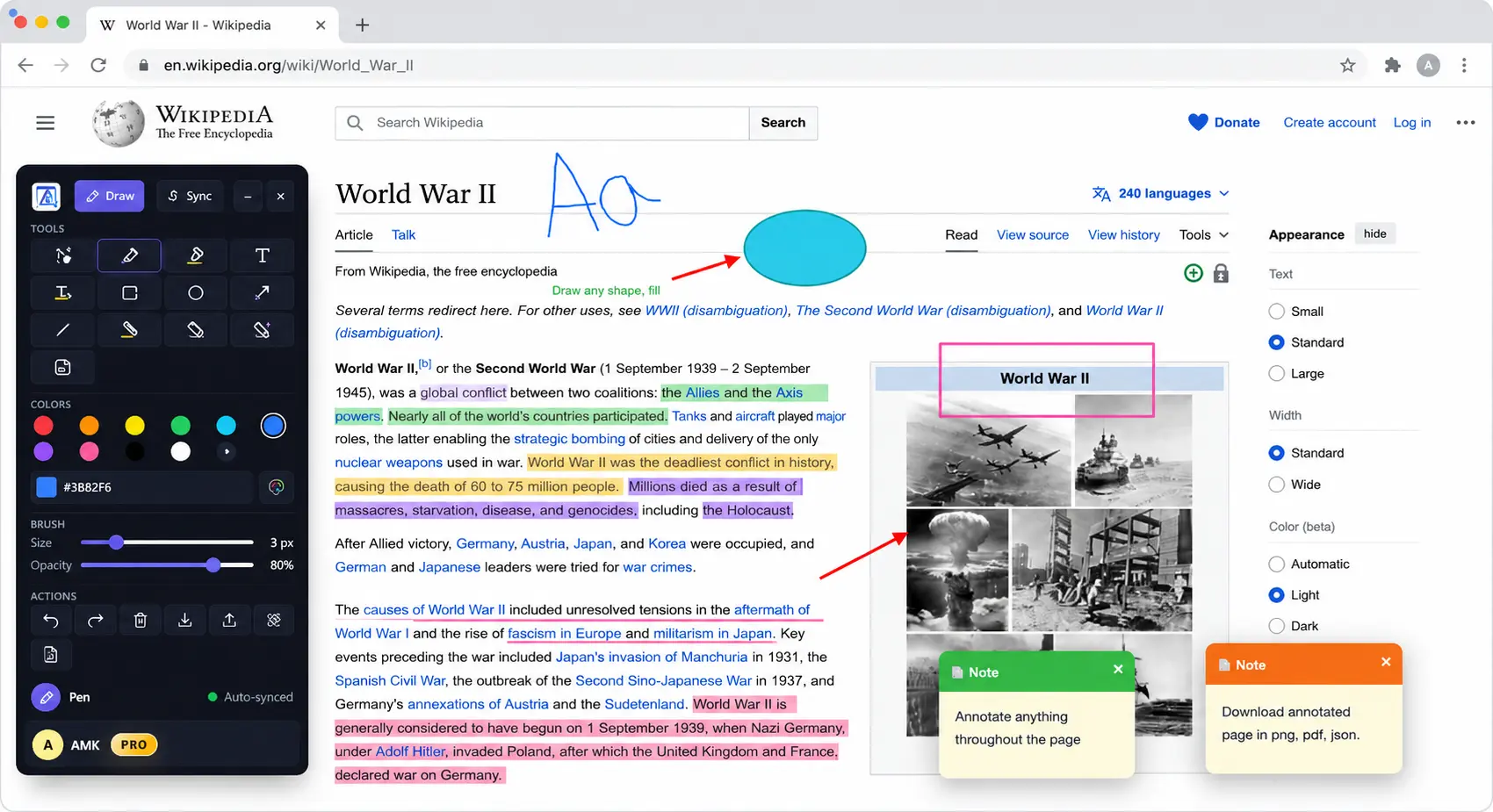
AnnotaMark includes select, pen, highlighter, text, rectangle, circle, arrow, line, color fill, eraser, magic eraser, and sticky note tools. The same toolbar works across web pages and whiteboards, which keeps review workflows consistent.
Annotate live web pages
Use pen, highlighter, text, arrows, rectangles, circles, lines, and sticky notes directly on the page you are reviewing.
Highlight and save research
Capture important passages from articles, documentation, or online textbooks and return to them from the dashboard.
Whiteboard without context switching
Move from page markup to a blank collaborative canvas with the same familiar annotation tools.
Cloud sync for premium work
Premium stores annotations and whiteboards in the cloud with 2 GB storage so work is available from the dashboard.
Visual feedback sharing
Share annotation links with teammates so design, product, and QA feedback stays connected to the original page.
Dashboard organization
Search, review, and manage annotation sessions instead of losing feedback in chats, screenshots, and browser tabs.
Collaboration
How does AnnotaMark support team workflows?
Teams can mark up the actual page being reviewed, save the annotation session, and share the result with the people who need context. Designers can point to exact interface issues, QA teams can show visual defects, researchers can keep source highlights, and product managers can summarize page-level decisions.
Plans
What is included in Premium?
The free plan covers core annotation and highlighting. Premium adds 2 GB cloud sync, whiteboards, advanced tools such as sticky notes and magic eraser, import and export workflows, and subscription management for premium accounts.