AnnotaMark lets you annotate, highlight, and draw directly on any web page. It includes a collaborative whiteboard, cloud sync, shareable review links, and a dashboard for organizing web annotations across design, research, and QA work.
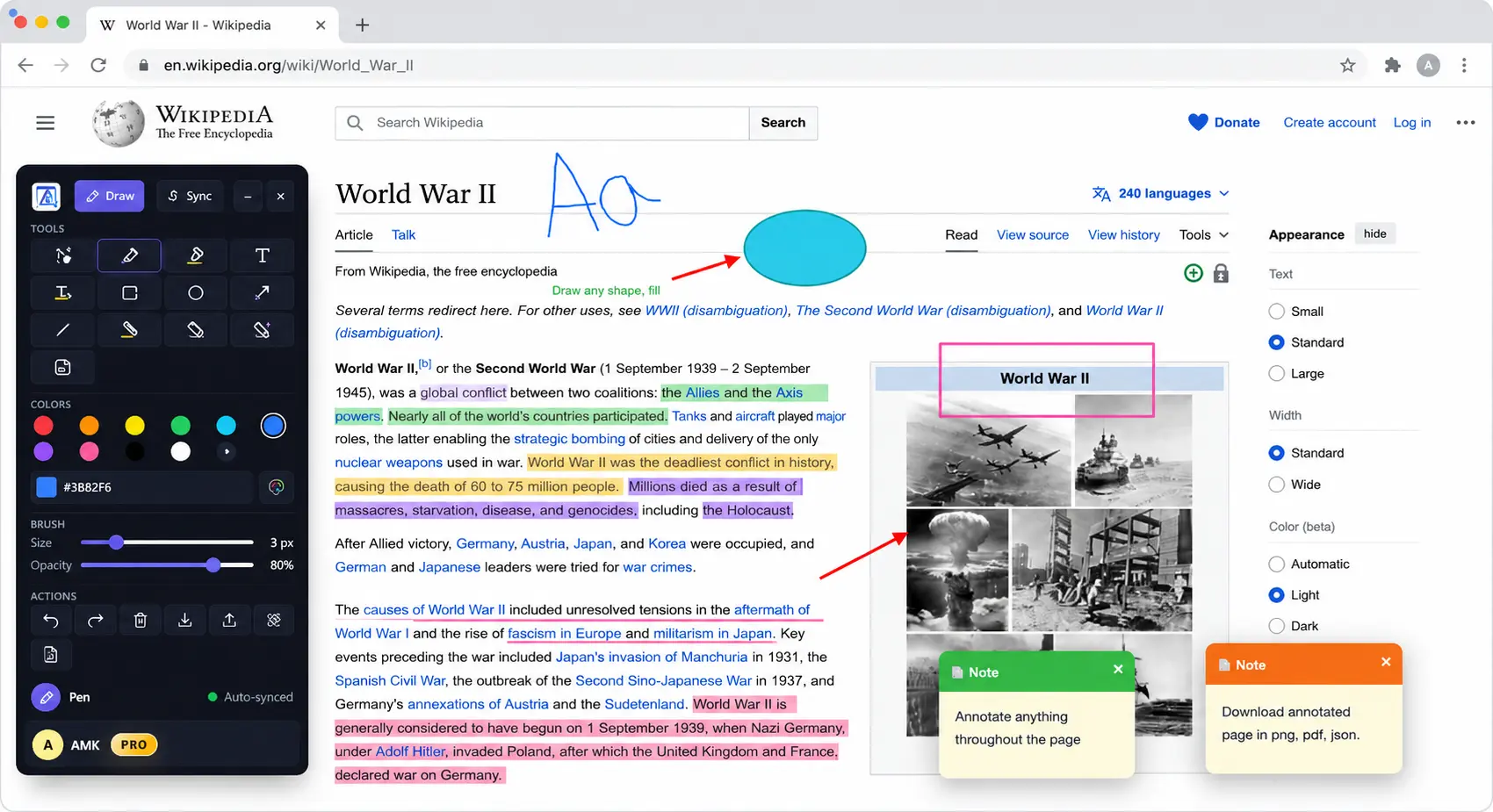
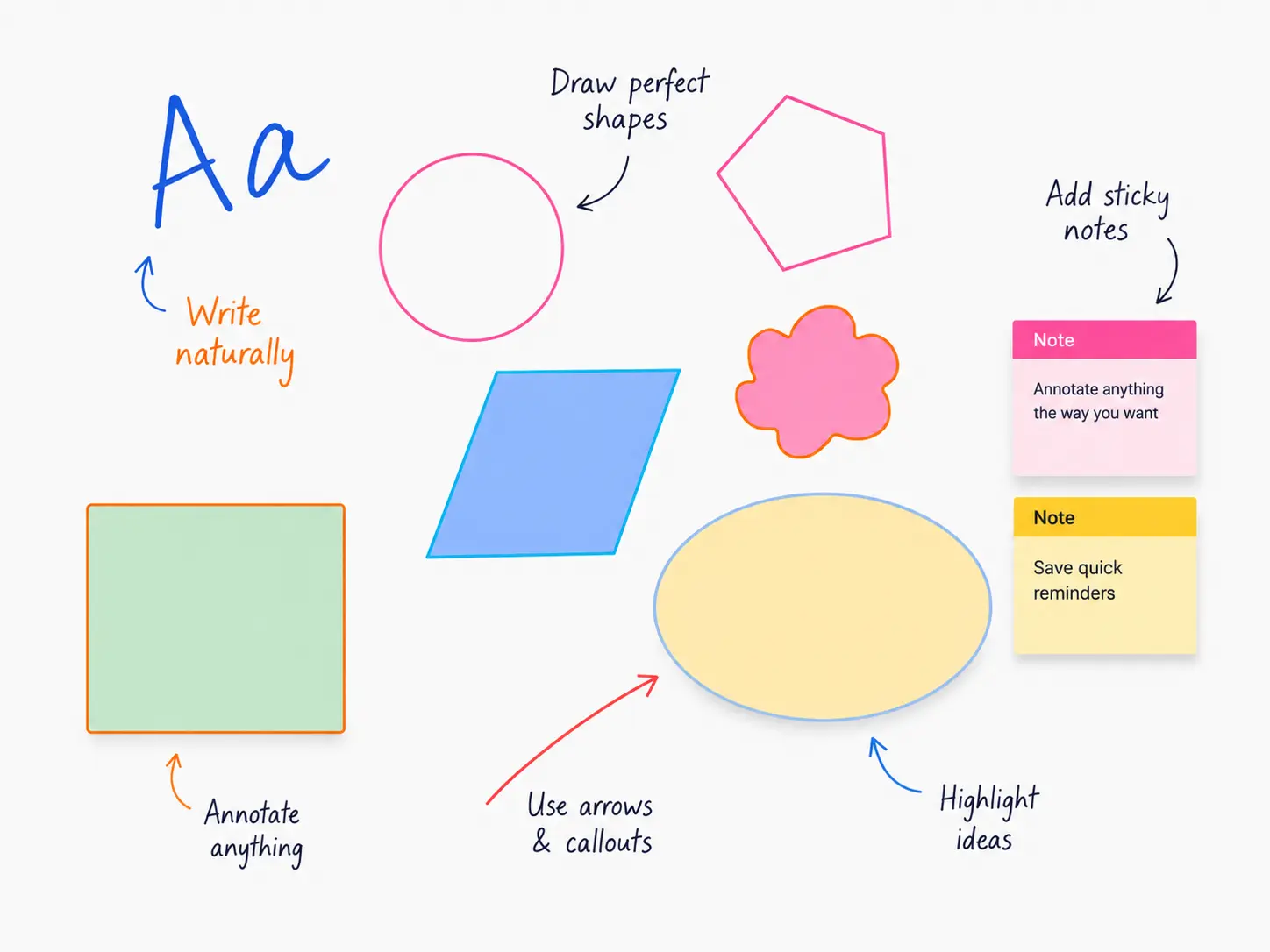
Use 12 markup tools including pen, highlighter, text, shapes, arrows, sticky notes, color fill, eraser, and magic eraser without leaving your browser.
AnnotaMark combines web page markup and whiteboard tools in one browser extension. You can highlight text, draw freehand, add shapes, leave sticky notes, erase objects, and prepare clearer feedback without switching apps.
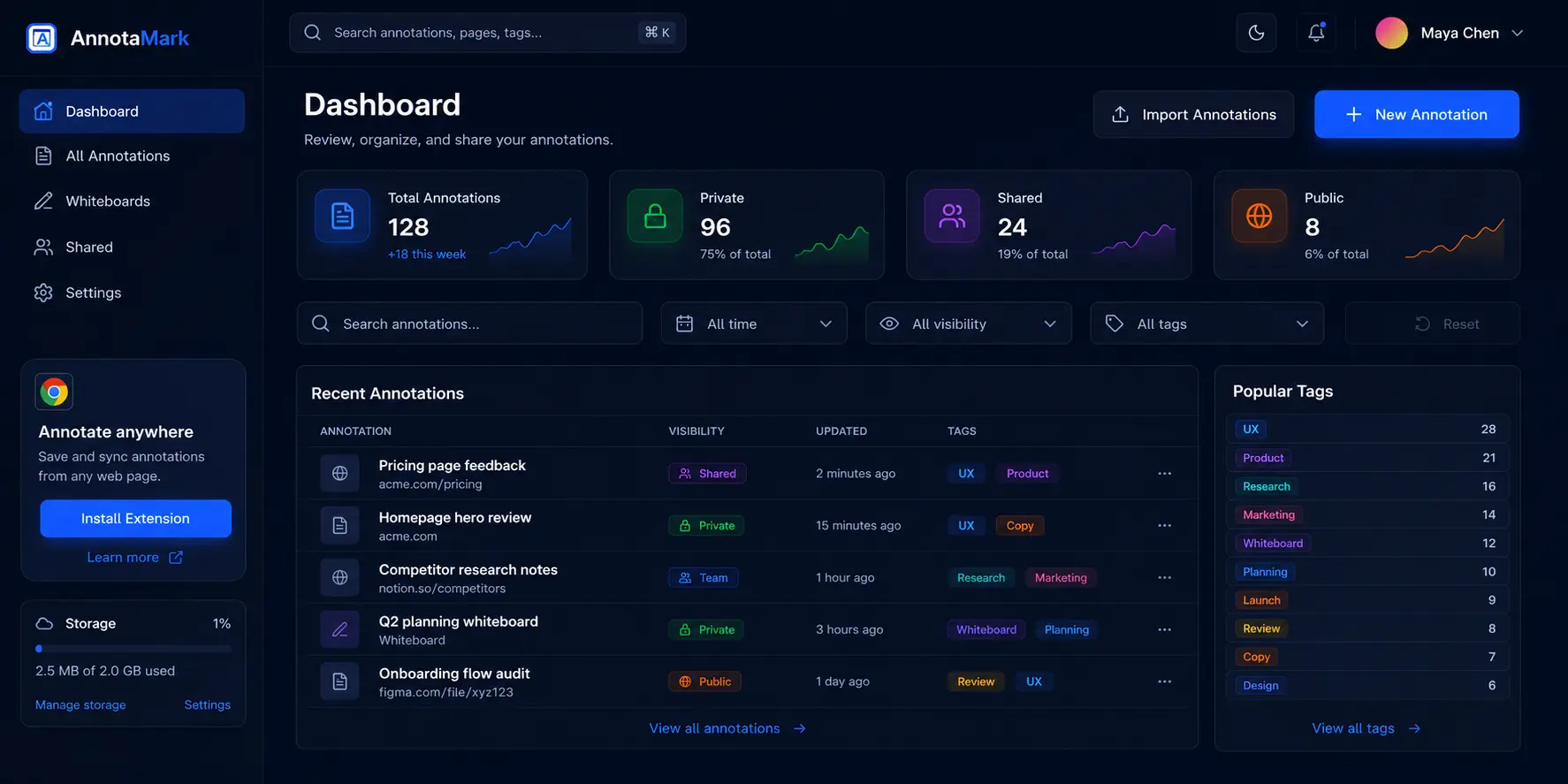
The AnnotaMark dashboard keeps web annotations and whiteboards organized. Search past markup, review shared sessions, export feedback, and open saved annotations without digging through browser history.
Navigate saved sessions, drafts, shared annotations, and whiteboards from one dashboard.
Find past annotations across pages, projects, and research sessions.
AnnotaMark is built for people who need visual context: designers reviewing live websites, researchers saving important passages, QA teams reporting UI issues, students studying online material, and product teams sharing decisions.
AnnotaMark is a Chrome extension and web dashboard for annotating, highlighting, and drawing on live web pages. It also includes whiteboards, sharing, cloud sync, and organized review workflows.
Yes. Designers can mark up live websites with highlights, arrows, shapes, notes, and freehand drawing, then share visual feedback with teammates or developers.
Cloud sync is available on Premium. It stores annotation sessions and whiteboards in the dashboard with 2 GB storage.
Use AnnotaMark to capture ideas, review live websites, organize research, and share visual feedback from your browser.
Share review links or export visual feedback for team handoff.